
G is a generic graphics library built on top of Java 2D in order to make scene graph oriented 2D graphics available to client applications in a high level, easy to use way.
Create a GWindow as top level graphics node and link to a Swing panel. Add a GScene which defines viewport and world extents. Build the graphics hierarchy by GObjects and add to the scene. GObjects consists of GSegments (polylines) and other GObjects. Rendering information is supplied by GStyle objects added to any level of the graphics. Annotations (GText), raster images (GImage) and AWT/Swing components (GComponent) are added to segments with specified position hints. Interactions are implemented through the GInteraction interface.
The graphics is double buffered to keep rendering smooth. The implementation makes heavy use of regions to keep track of objects and damage area in order to keep the rendering pipeline as efficient as possible.
| Version | Library | Source | Demos | Documentation |
| 1.0 (December 2009) | G.jar | G.src.jar | G.demos.jar | docs.jar (online) |
| 1.1 (not scheduled) | ||||
| 2.0 (not scheduled) |
The programs are well suited as a tutorial, and also indicates frameworks for real applications based on the library.
To keep the demo programs simple (within single files), model classes are implemented as inner classes of the main class. In real applications these will normally be in separate files.
To run a demo program, follow these simple steps:
.../gtest/G.jar
.../gtest/Demo1.java
javac -classpath G.jar Demo1.java
java -classpath G.jar;. Demo1 (MS/Windows) or
java -classpath G.jar:. Demo1 (Unix).
|
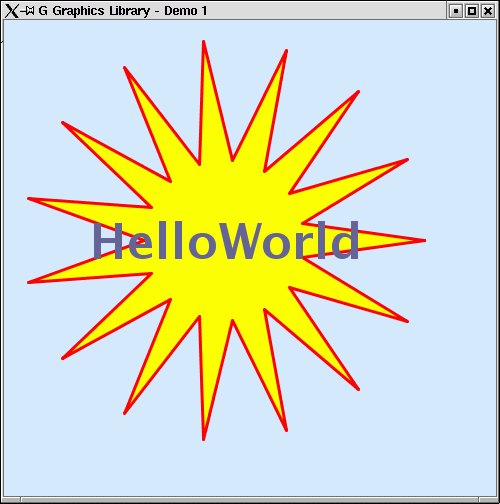
Demo 1
A program demonstrating:
|
|
|
Demo 1a
A program demonstrating:
|

|
|
Demo 2
A program demonstrating:
All elements has an associated text. Note that the text elements are in the front even if the object it annotates is in the back. This follows the G annotation strategy which is as follows:
|

|
|
Demo 3
A program demonstrating:
This program also shows different visibility modes for GObjects. Accessing the toggle buttons at the top switch between geometry visible, annotation visible, both visible or neither visible. Visibility is a feature of GObjects, and affects the entire subtree of components rooted in that node. |

|
|
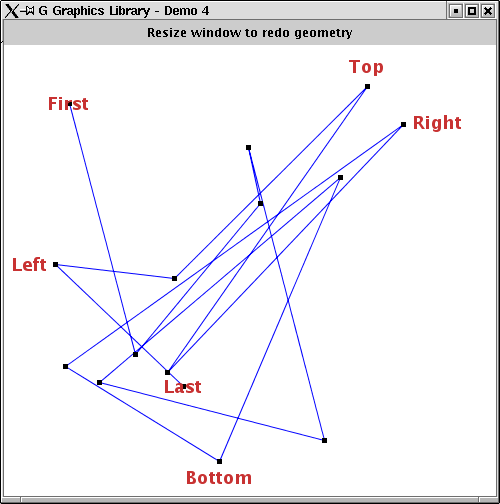
Demo 4
A program demonstrating:
Text position hints has three components:
|
|
|
Demo 5
A program demonstrating:
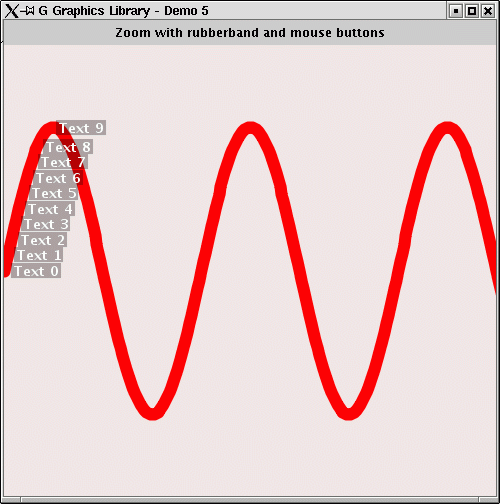
Specifying geometry relative to the world extent makes the scene zoomable and panable as shown in this program through the default ZoomInteraction. The sample curve have a set of texts associated with it. Note during zoom how the annotation algorithm always ensure that they never overlap and that they are always on screen. |
|
|
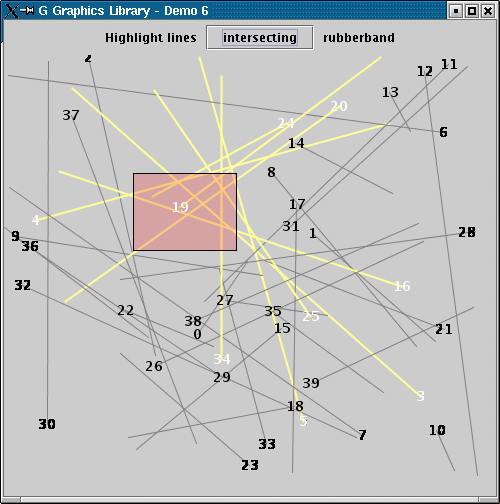
Demo 6
A program demonstrating:
|
|
|
Demo 7
A program demonstrating:
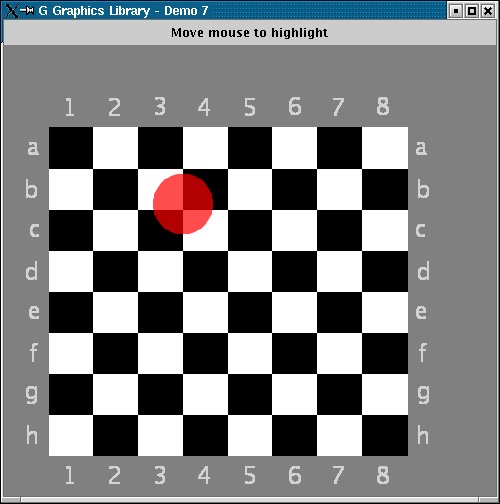
The program implements an interaction illustrating how the scene can be updated just by moving the cursor over it. The moving object use a transparent color so the background graphics shows through. The program also illustrates the true scale feature of the scene; The scale ratio of this scene is fixed and independent of window shape as can be seen during resize. The default scene setting is to squeeze the world extent to fir the current viewport. |
|
|
Demo 8
A program demonstrating:
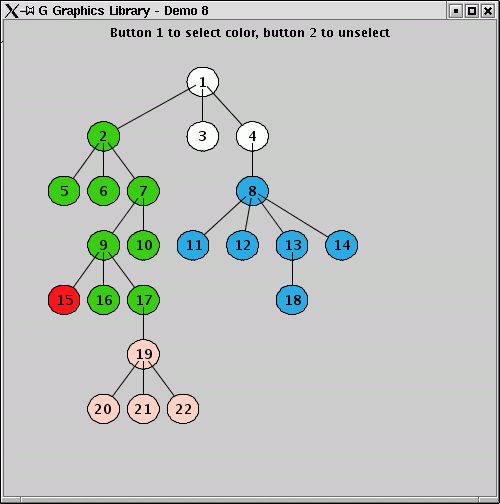
This program illustrates this feature. The graphic object contains children nodes as illustrated. Initially all nodes inherits background color from the scene where it is explicitly set (white). Clicking a node set a random background color on that node. This background color is inherited down the tree to nodes that does not explicitly define background color. Clicking mouse button 2 on a node unsets the background color at that node. |
|
|
Demo 9
A program demonstrating:
|
|
|
Demo 10
A program demonstrating:
In this demo program, an additional segment (the red path) is put on top of the image, and filled with geometry through a simple drawing interaction. Note that this program takes the image as input parameter. The image is not provided, but any image can be used. |

|
|
Demo 11
A program demonstrating:
This program also demonstrates how to use scrollbars with G. Simply pass the two scrollbar components to the GScene which will take care of the details. |

|
|
Demo 12
A program demonstrating:
The program also demonstrates the simplicity of printing the GWindow content. |

|
|
Demo 13
A program demonstrating:
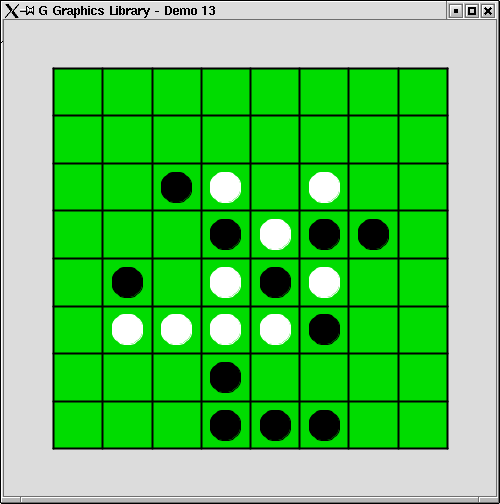
The game alternates between white and black player moves. When the cursor is moved over the board, legal cells are highlighted. A piece is placed by clicking the left mouse button inside a legal cell. |
|
|
Demo 14
A program demonstrating:
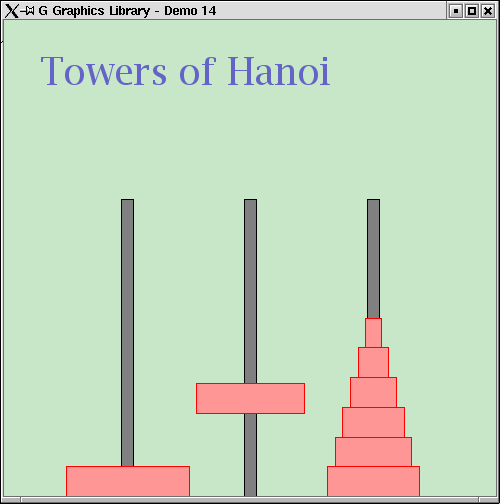
The world extent is chosen to make it simple to position pegs and discs. Pegs and discs are objects inheriting from GObject. Initially the discs are children of the left-most peg, and during the solution they are re-parented according to their new position. |
|
|
Demo 15
A program demonstrating:
The chart is zoomable and scrollable. The annotation scene has the plot world extent as user data in order to correctly update the axes annotation on redraw. Note that G is not a chart library (like JFreeChart for instance). But it can easily be used as the foundation for one as this example illustrates. Note also that this program utilize the nicenumbers module for producing axes annotation. |

|
|
Demo 16
A program demonstrating:
The label and percentage are added to an invisible line that originate in each sector center and extends out of the pie chart. The annotation layout manager ensure that annotations follows these lines and don't overlap. Note again that G is not a chart library, but that it can easily be used as the foundation for one as this example illustrates. |

|
|
Demo 17
A program demonstrating:
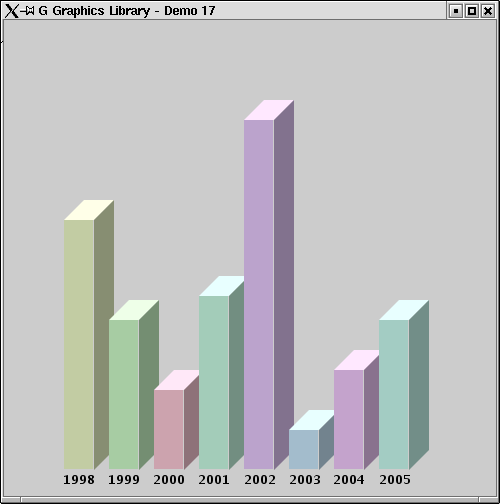
As G is a foundation library it does not support complex shapes like 3D bars as shown. Such shapes can however easily be provided by extending GObject, and the geometry can be created through the generic Geometry class which comes as part of G. |
|
|
Demo 18
A program demonstrating:
Note that G never scale images. When scaling is needed this must be handled by the client application, typically within the draw() method as shown here. This gives the application full control over the scaling process, and it avoids unnecessary caching and processing inside the rendering engine. Note that this program takes the image and the image extent information as input parameters. The image is not provided, but any image can be used. Note also thet the program use the nicenumbers module for producing annotation. |

|
|
Demo 19
A program demonstrating:
The colored sectors are created by connecting two circle sectors of different radius and remove superfluous vertexes. The game start button is a JButton embedded in the graphics using the GComponent wrapper attached to a GSegment. |

|
|
Demo 20
A program demonstrating:
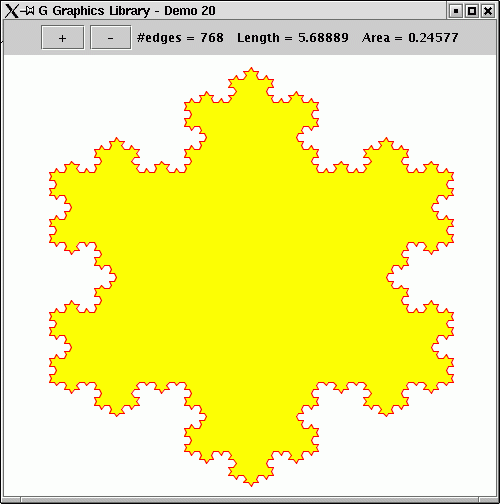
Initially the snowflake has three edges. The user can add or remove levels to the snowflake using the + and - buttons. The graphics implementation is simple. A single GSegment holds the curve and its geometry is recomputed for each add/remove level command based on the current geometry. The canvas is zoomable so that the fractal nature of the shape can be inspected. Note that the number of points in the curve increase exponentially with number of levels, and that the performance of the program degrades accordingly. |
|
|
Demo 21
A program demonstrating:
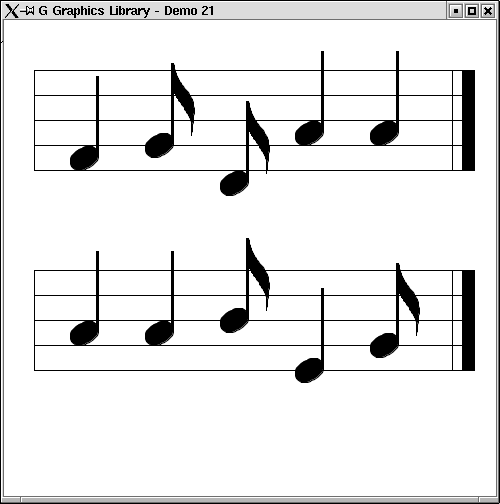
A proper implementation would gather stave and note properties in suitable classes and take instances of these as input to the GStave and GNote outlined here. In this demo program only a few properties are included and they are part of the graphics classes to make the implementation compact. The note representation is vector based and is therefore fully scalable. Note that this program utilize the spline module to generate note geometry. |
|
|
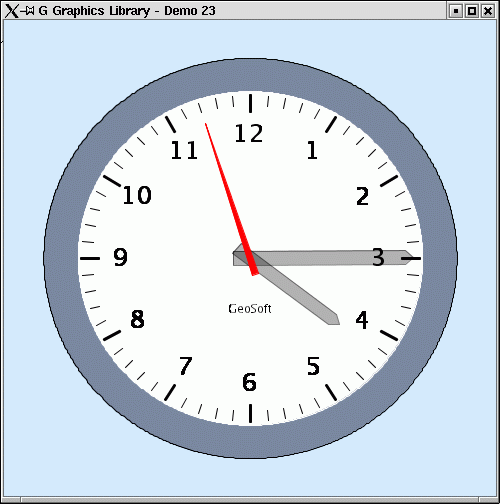
Demo 23
A program demonstrating:
The clock handle geometry is updated in response to a timer task running once a second. The scene is zoomable. |
|
The above library is free software; you can redistribute it and/or modify it under the terms of the GNU Lesser General Public License as published by the Free Software Foundation; either version 2.1 of the License, or (at your option) any later version.
The above library is distributed in the hope that it will be useful, but WITHOUT ANY WARRANTY; without even the implied warranty of MERCHANTABILITY or FITNESS FOR A PARTICULAR PURPOSE. See the GNU Lesser General Public License for more details.
In short:
